


Bulk import datas related to your badge holders’ email addresses, employer information, or medical visits and training sessions!
To avoid repetitive datas entry, LANDAUER Direct allows you to perform a datas import.
This feature is available to:
- Track medical visits and radiation protection training,
- Add participant email addresses to give them access to their doses,
- Update the list of employers for external employees.
Find out how to get started!
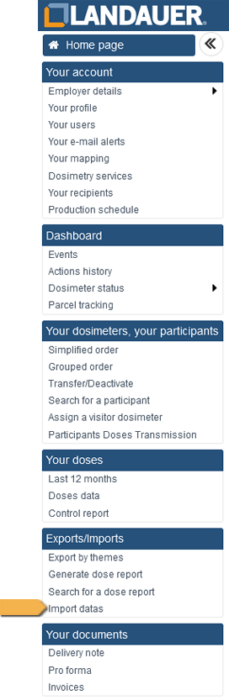
- Go to the “Import datas” menu on the left side of your screen.
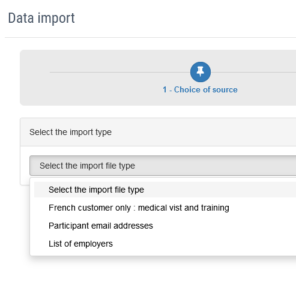
- Select the type of import you wish to perform.
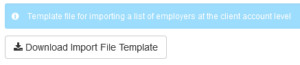
- Download the import file template.
- Configure your data in Excel® following the template.
Note: Do not rename your column headers. - Save the changes to your file, upload it to LANDAUER Direct,
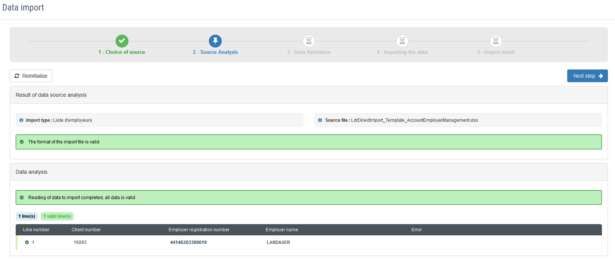
and click “Next Step” in the top right corner of your screen.
Note: The participation to be imported is identified only by the NIR number (for french workers) or the participant number.
- After your data is analyzed, you will be asked to validate. If no errors appear, click “Next Step” again to confirm.

- You will receive confirmation of the import.
Click “Finish” in the top right corner of your screen to return to the menu.
BEWARE
This feature is very useful when enabling the option to track radiation protection training and medical visits, allowing you to import a large amount of data.
It can also be used later for adding new participants. However, any dates already entered in LANDAUER Direct cannot be modified through import; you must edit these cells directly online in the “Participants certificates” menu.