


LANDAUER direct updates
To meet your expectations, LANDAUER direct is constantly evolving.
Find the latest developments below.
– THURSDAY 15th APRIL 2025 –
Easily verify your data to be sent to the National dose register!
As part of monitoring workers exposed to ionizing radiation (Individual Dosimetric Monitoring), regulation requires reporting doses to the National dose register of the worker’s country (SISERI in France for classified workers, FANC in Belgium, etc.).
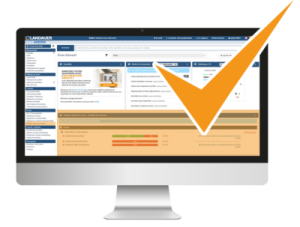 Discover now the new feature on LANDAUER direct, specifically designed to verify data before submission to the National dose register.
With the “National dose register” menu, you benefit from:
- Compliance: Quickly verify mandatory information, avoiding any regulatory non-compliance.
- Reliability: Ensure the consistency of data to be sent, guaranteeing correct transmission and archiving of your workers’ doses.
- Time savings: View all data associated with your workers and their employer on a single screen.
This feature is only available to users with dose access. To modify your access, please contact your account administrator or our Customer Service.
– THURSDAY 14TH NOVEMBER 2024 –
schedule
THURSDAY 14TH NOVEMBER 2024
New feature: assign a different employer to an external worker
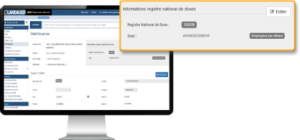 Do you welcome external employees, posted workers, or subcontractors?
If their employer is not the one identified on the sub-account, you can assign them an external employer in just a few clicks, while still managing their dosimetry.
The doses will then be correctly reported to the national dose register of the worker (SISERI in France, FANC in Belgium, etc.), provided that all data matches between LANDAUER and the register (employer and wearer identification number).

This new feature is compatible with the data import option. Discover how to save time when managing many external employees.
>> Discover it <<
– THURSDAY 27TH JUNE 2024 –
A New Environment for Your Workspace
New Home Screen to Simplify Your Dosimetry Management
Discover your new LANDAUER Direct home screen, designed to reinvent your user experience.
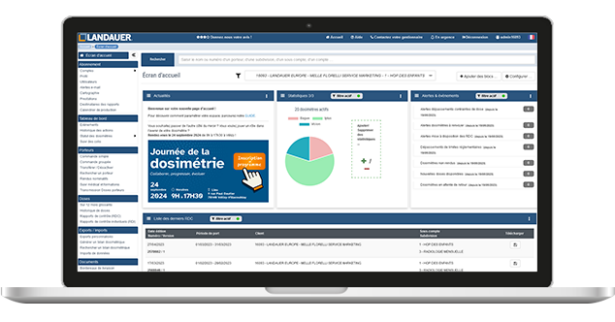 Multi-Account Management
View all the data from your different accounts on a single page, with filtering options by account or sub-account for a customized view.
Alerts and Important Events
Find out about new alerts since your last login directly on your dashboard. Don’t miss any key events from your subscription.
Visual Statistics
Track your activity with intuitive and detailed graphs, offering you an overview of your subscriptions.
>> Suggest statistics to further enrich your workspace!
Total Customization
Tailor your environment to your specific needs. Your home screen is fully configurable to match your preferences.
Learn how to customize LANDAUER Direct according to your needs!
All Your Data at Your Fingertips
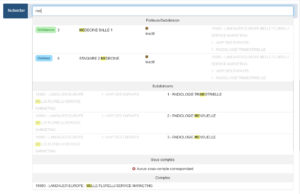
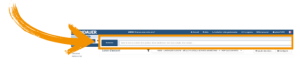
Quickly find a participant, subdivision, sub-account, or account using the new search function. Suggestions appear from the first character typed!
The new search bar is accessible from all pages of your LANDAUER Direct space.
– WEDNESDAY 25TH JANUARY 20233 –
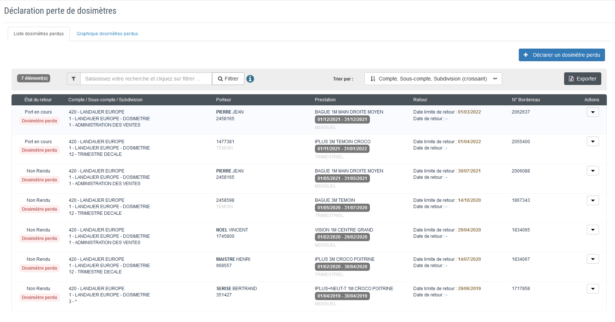
Dosimeter loss declaration
A dosimeter is lost?
Simply declare it on LANDAUER direct to ensure its traceability and inform the persons concerned.
Thanks to this declaration you could:
- create a lost dosimeters list that can be exported in Excel® format,
- stop sending the “non returned” and “Reminder before invoicing” alert for these dosimeters.
– WEDNESDAY 30TH NOVEMBER 2022 –
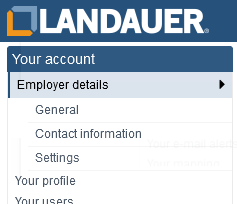
Simplified navigation
LANDAUER Direct evolves and is enriched with sub-menus. Find all the information relating to your subscription by clicking on “Accounts”.
- On the “General” tab,
- if you have a single account, find an overview of your data.
- if you have several accounts, select and view the account to display.
- In “Contact details”, modify edit and modify your information (see below).
- Finally, the “Settings” tab allows you to activate the participant certificates management.
Edit your account data!
Modify your account information:
- Account details (excluding the registration number)
- Invoicing address
- Address for sending invoices
Changes are tracked in the “Action history“.
| Please note that the account address is not the delivery address of the dosimeters. This is specified at the sub-account level (accessible via “Your mapping” by clicking on the desired sub-account), its edition will be available in a future development. |
Assign a visitor dosimeter, find the dosimeter more easily
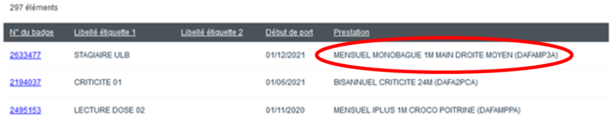
When you proceed to the nominative assignation of a visitor dosimeter, find your dosimeter more easily. Now, the service column contains the wording in full and the service code after in brackets.
– WEDNESDAY 28TH SEPTEMBER 2022 –
Discover your new data import/export modules.
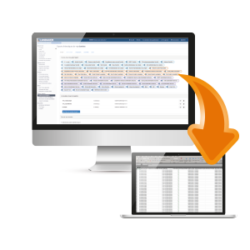
Export all your account in Excel format!
In a few clicks export all the fields of your account or select the ones you need relating to:
- your account,
- your cartography,
- your dosimeters
- and the doses.
Create export templates which will be saved to ease your analysis.
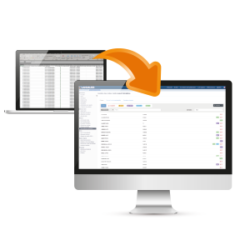 Import your data relative to participants certificates on LANDAUER direct!
First step before a global process of integration for of all data, our new import module allows you to easily group your medical exams and radiation protection trainings data on a single platform.
To be continued…
– THURSDAY 16 JUNE 2022 –
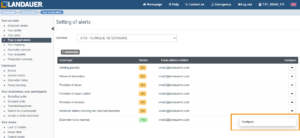
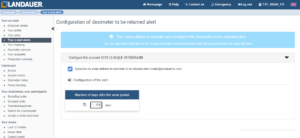
A new email alert “Dosimeters to be returned” is now available!
- You can subscribe to this alert in the menu “your email alerts” and select the event type “non returned dosimeters”
- You will receive a notification X days (X to be configured) after the wear period showing all dosimeters not received in our laboratory
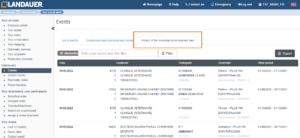
- The history of the alerts are available in the menu “Events”
– TUESDAY 23 MAY 2022 –
- You can now add several dosimetry services to a participant at the same time.
The start and the end of the wear period can be more easily selected. - “Assign a dosimeter” becomes “Assign a visitor dosimeter”.
You can check the history of the dosimeter assigned.